When your CDN is blocking AI crawlers and your robots.txt is not
If your CDN is blocking AI crawlers, one response header tells you which vendor to go to. Here is how to read it, what eleven live sites returned, and where each platform hides the control.

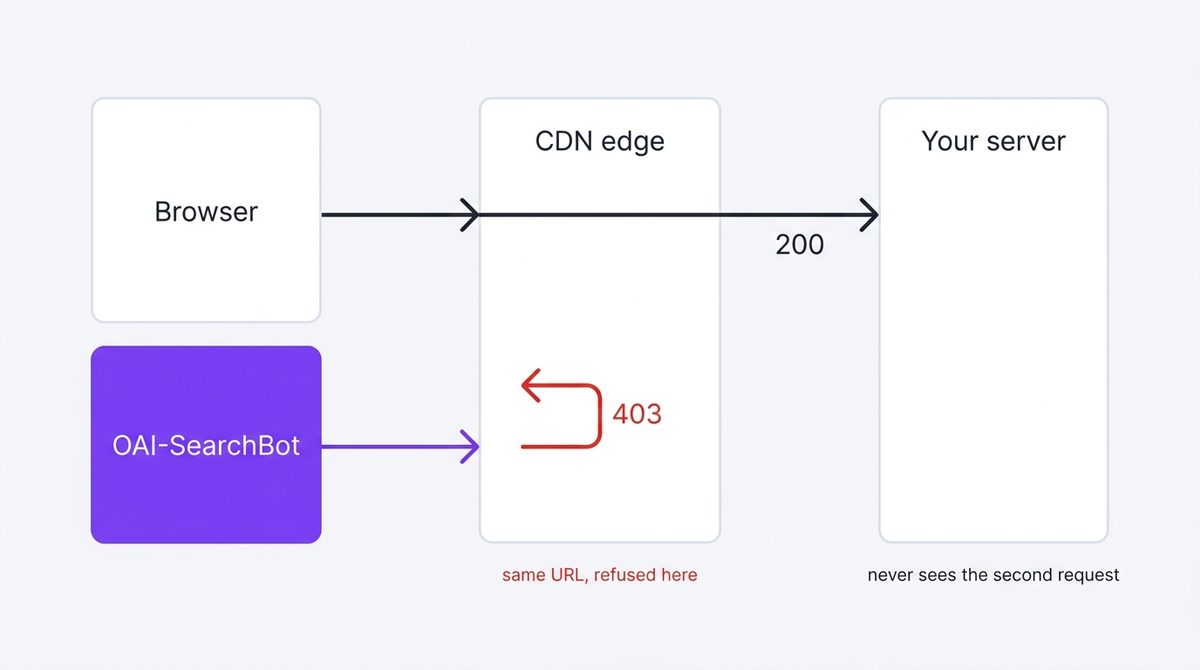
When your browser loads a page but an AI crawler gets a 403, you are almost certainly looking at a CDN blocking AI crawlers rather than a fault on your site. The edge answers before your server ever does, and one response header tells you which vendor it is. Identify the edge first, then go to that vendor's bot controls — editing your own files cannot lift a block your host applied.
Read this first
This chapter starts where how to check if AI can read your site ends. If that check returned 200 for every crawler, you have nothing to fix here. Come back when something returns 403 or 503, because that is the symptom this chapter diagnoses.
Why a CDN blocks what your robots.txt allows
Your CDN answers the request before your server ever sees it. It runs its own bot rules, shipped by the vendor, updated on the vendor's schedule, and it does not consult robots.txt when deciding. So the two can disagree permanently: your file says come in, the edge says no, and both are working as designed.
Nobody asks your permission to change a default on your behalf. Check after every plan change.
Find the CDN blocking AI crawlers in one command
You do not have to know. The response headers say so, because every major edge stamps its own request ID on the way out. One curl, read the header names, match them against the table.
curl -sI -A "Mozilla/5.0 (compatible; OAI-SearchBot/1.4; +https://openai.com/searchbot)" \
https://example.com/ | grep -iE 'server|cf-ray|x-vercel|x-nf-request|x-served-by|x-amz-cf-id|x-cache'| Header | Edge | Also seen |
|---|---|---|
cf-ray | Cloudflare | server: cloudflare, cf-cache-status |
x-vercel-id | Vercel | server: Vercel, x-vercel-cache |
x-nf-request-id | Netlify | server: Netlify |
x-amz-cf-id | AWS CloudFront | x-cache |
x-served-by + x-cache | Fastly | a custom server value |
| none of the above | No CDN, or one that hides | read server alone |
What running this against eleven sites showed
On 15 August 2026 I sent that exact request, with the OAI-SearchBot user agent, to eleven well-known sites. Every one returned 200. Not a single household-name site refused an AI search crawler at the edge that day — which is worth knowing before you assume a block is your problem.
The more useful result was who turned out to be behind Cloudflare. shopify.com and webflow.com both answered with cf-ray. If you run a store or a site on either platform, the bot rules that matter to you are Cloudflare's, even though you never signed up for Cloudflare and cannot log into it.
One caveat, the same one that limits every check in this handbook: these requests came from my address, not from the crawler's. Rules that match on IP range stay invisible to this test.
Where each platform keeps its AI crawler controls
Find the feature by name rather than by menu path. Vendors move menus constantly, and a stale click path sends you hunting for something that has been renamed.
| Platform | What to look for | Default |
|---|---|---|
| Cloudflare | AI Crawl Control | Available on all plans |
| Vercel | AI bots managed ruleset | Inactive, shown as Allow |
| Vercel | Bot protection managed ruleset | Inactive, shown as Off |
| Shopify | robots.txt.liquid theme template | Shopify's default rules |
| Netlify / CloudFront | WAF or firewall rules on user agent | No AI-specific ruleset |
Vercel documents both of its rulesets as off until you switch them on, so a Vercel site refusing AI crawlers is usually being refused somewhere else. Sources: Cloudflare, Vercel, Shopify.
When two edges stack, only the outer one answers
Plenty of sites run one platform in front of another — Cloudflare in front of Vercel is the common pair. The outer service answers the request, so its headers are the ones you see and its rules are the ones that fired. The inner platform's bot settings may never get a say.
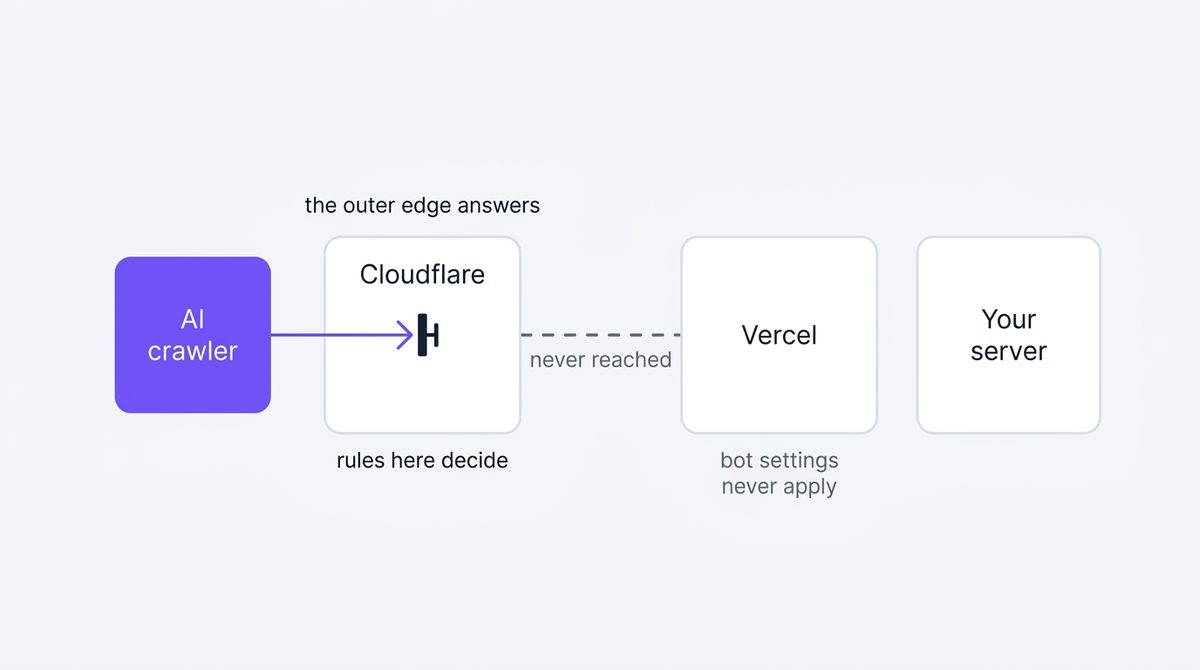
Vercel says so plainly in its own documentation: "Bot Protection doesn't work when a reverse proxy (e.g. Cloudflare, Azure, or other CDNs) is placed in front of your Vercel deployment." If your headers show cf-ray, start at Cloudflare even if you think of yourself as a Vercel site.
Three ways this goes wrong
Each of these wastes an afternoon in a place where the answer was never going to be.
- Editing robots.txt to fix a 403. A 403 means the request was refused. robots.txt is a file the requester reads after it gets a response, so it cannot undo a refusal. Fix the edge, then use robots.txt to say what you actually want.
- Testing with a browser and concluding you are fine. Bot rules key on the user agent, so your browser is the one client guaranteed not to reproduce the problem. Always re-test with the crawler's user agent.
- Fixing the inner platform while the outer one is refusing. Check the headers before you change any setting, or you will be turning knobs on a service that never saw the request.
Common questions
My host says it does not block AI crawlers. Why do I get a 403?
Managed WAF rules, rate limits and challenge pages all produce refusals without being labelled AI blocking. A 503 with an interstitial is a challenge, and crawlers do not solve challenges — treat it as a block.
Can I tell a CDN block from an origin block?
Usually. Edge refusals arrive fast and carry the CDN's headers but none of your application's. If the response includes your own framework's headers or a page your app rendered, the request reached you.
Why does this chapter not give click-by-click dashboard steps?
Because we would be publishing menu paths we cannot re-verify on every vendor's release schedule, and a wrong path is worse than none. Feature names change far more slowly than menus.
Next step
Once every crawler gets a 200, being fetchable stops being the problem and being worth fetching starts. That means picking the searches you are close to winning rather than the ones you wish you had, which is where the handbook turns from plumbing to content.
Diagnosing the block is the quick part. Making the change, publishing it and pushing the update for indexing is where most sites stall.
Part of the QueryWin handbook · Level 1